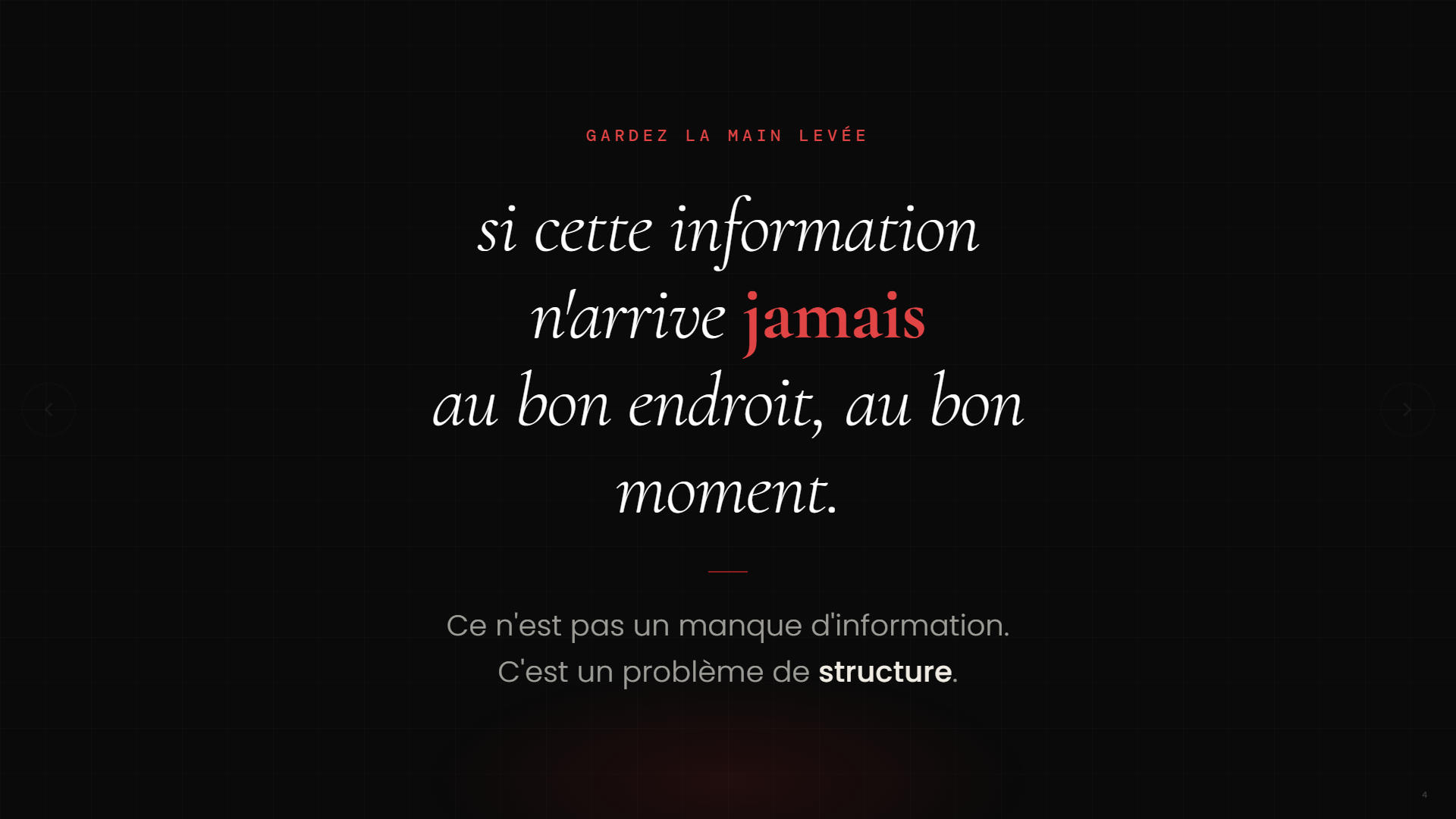
When I put the question to a room of export executives at the Grand Rendez-vous de l’Exportation, the answer was unanimous.
“Raise your hand if you manage information in more than one country.”
Every hand went up.
“Keep your hand up if that information always gets to the right place, at the right time.”
Every hand came down.
This is not just an exporter’s problem. You see it in pharmaceutical firms tracking several regulatory markets, in manufacturers managing suppliers on three continents, in service organizations operating in several provinces. As soon as a firm handles information coming from more than one place, the same problem shows up: the information exists, it is accessible, but it is never structured to be useful at the right moment.
Think about a typical week. A relevant article spotted on LinkedIn on Tuesday morning, an email from a foreign partner on Thursday night, an industry report downloaded and then forgotten in a folder. Each of those signals could have shaped a decision, a conversation, a proposal. Most of the time, they shape nothing, because they arrive at the wrong time, in the wrong format, with the wrong person.
It is not a technology problem. It is not a training gap. It is a structure problem.
And that is exactly what an automated intelligence flow fixes, without rebuilding all your systems and without hiring another analyst.
The myth of being fully ready
Many leaders tell me the same thing before they get into automation: “We’ll do it when we’re ready.” When the data is clean. When the processes are documented. When the team is trained.
That moment never comes.
The good news: you don’t need to be 100% ready to begin. What you need is one small, well-targeted project. Then a second. Then a third. Planned in sequence, on a solid foundation, those small projects add up to something coherent, functional, and adaptable to any size of firm.
Automated market intelligence is a perfect example of that first project. Here is how to build it, level by level.
Level 1, ChatGPT Tasks: start today, in 20 minutes
The easiest way in. ChatGPT Tasks lets you schedule an automatic summary, delivered every week, with no manual work.
Here is the kind of prompt I used in the presentation, tuned for an industrial exporter:
“Every Monday at 7 a.m., give me a summary of industrial market trends for three regions: Western Europe, North America and the Middle East. For each region, include sector demand, regulatory changes, active competitors and economic signals that could affect our exports.”
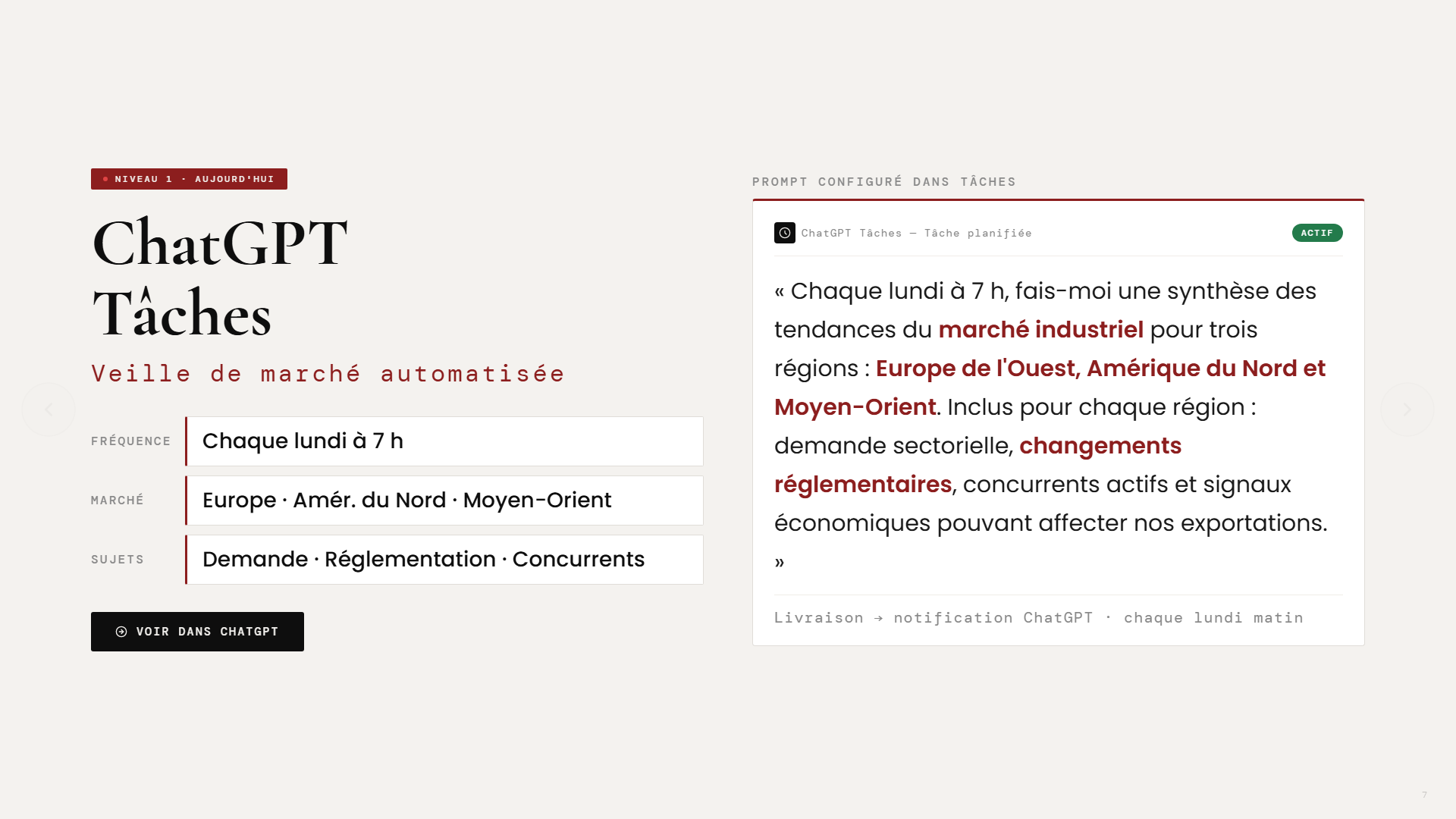
This prompt is fully configurable. Change the markets, the sectors, the frequency, the language. What matters is to start with something specific rather than a generic prompt. The clearer the context, the more useful the summary.
The result: every Monday morning, a notification with a structured summary of your markets, without opening a single tab.
Level 2, Power Automate: industrialize the flow
ChatGPT Tasks is an excellent start. But as soon as you want to share the information with several people, store it in a structured way, or use it for future analysis, you move to level 2: Microsoft Power Automate.
Here is how the flow works:
- Scheduled trigger: every Monday at 7 a.m., the flow runs automatically
- Summary through the ChatGPT API: the same prompt is sent, and the AI generates and structures the response
- Storage in SharePoint: each summary is saved with metadata (date, market, source, priority level)
- Distribution through Outlook: the summary reaches the right people, only the ones who need to know
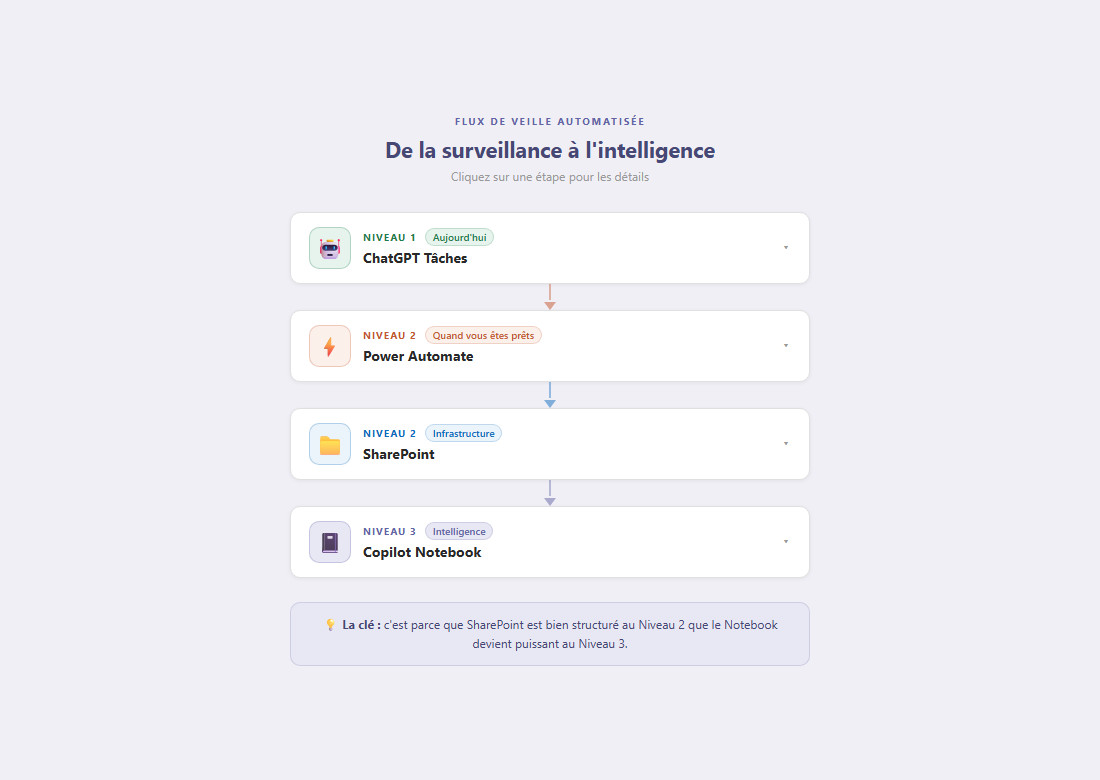
The key at this level is the structure in SharePoint. It is not just a place to store things. It is the foundation that makes the next levels possible. Every entry is dated, categorized, prioritized. The history builds up. And that history is exactly what becomes valuable at level 3.
Level 3, Copilot Notebook: query your own business intelligence
Once SharePoint holds 4, 8, 12 weeks of structured summaries, you connect Microsoft Copilot Notebook to that library. And you start asking questions in plain language.
Questions like:
- “Which markets grew the most this quarter?”
- “Which regulatory risks should we watch in Europe over the next 90 days?”
- “Where are our best export opportunities right now?”
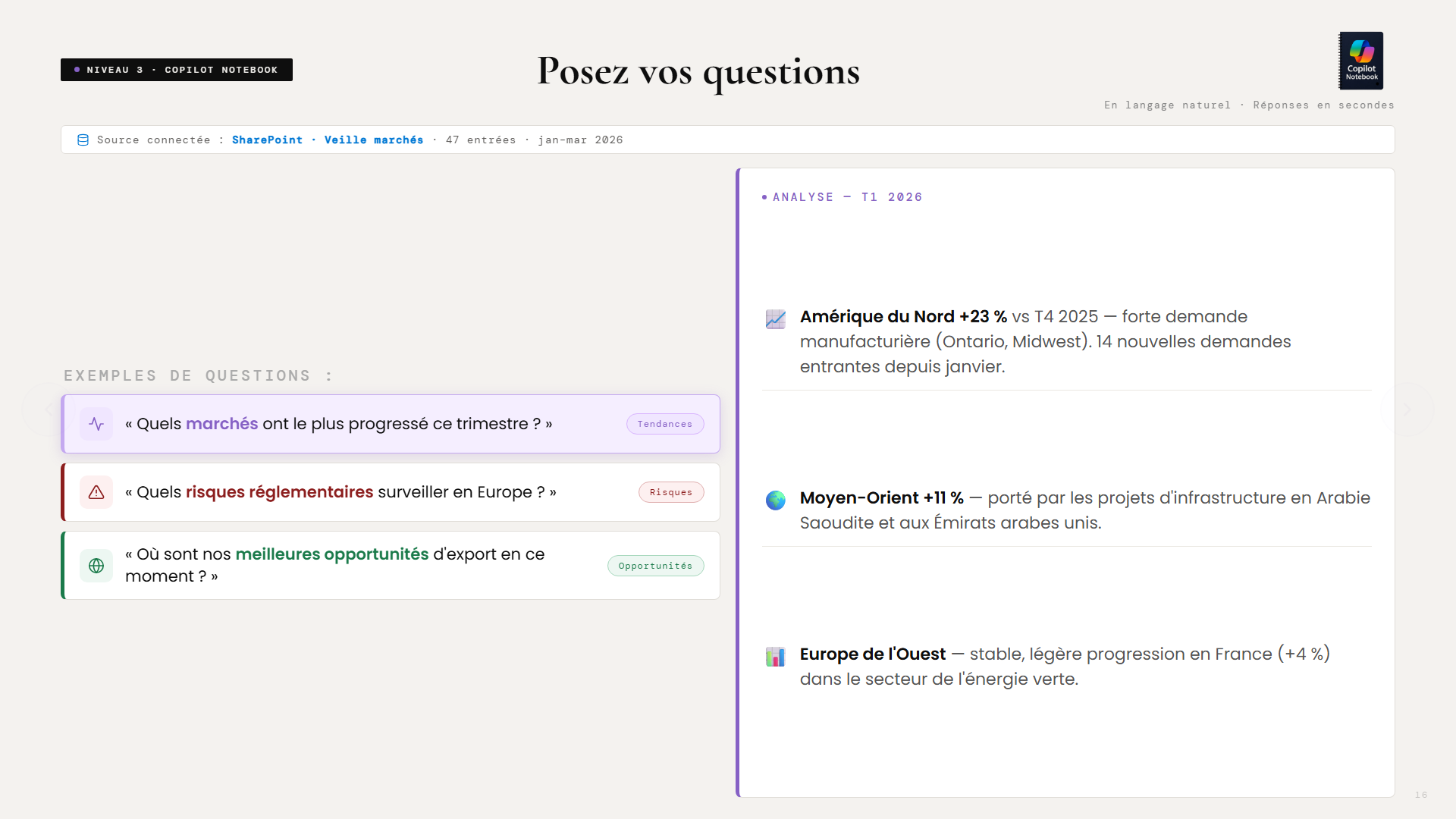
This is no longer a Google search. It is no longer a generic summary. It is your own business intelligence, built week after week, searchable in seconds.
The difference is fundamental. A Google search gives you what is public and popular. Copilot Notebook gives you what you judged relevant for your firm, in your markets, by your criteria, over time. It is the difference between reading the news and consulting your own organizational memory.
And because the data sits in SharePoint with clean metadata, even old summaries can be reprocessed if you change your analysis criteria. Decided in November to add a new market? The system can reanalyze the last 6 months of history through that new filter. No data is lost, everything is reusable.
The result: a dashboard that updates itself
At the end of the process, Power BI connects to the same SharePoint and generates visualizations automatically: opportunity score by market, number of signals detected, high-priority alerts, week-over-week trends.
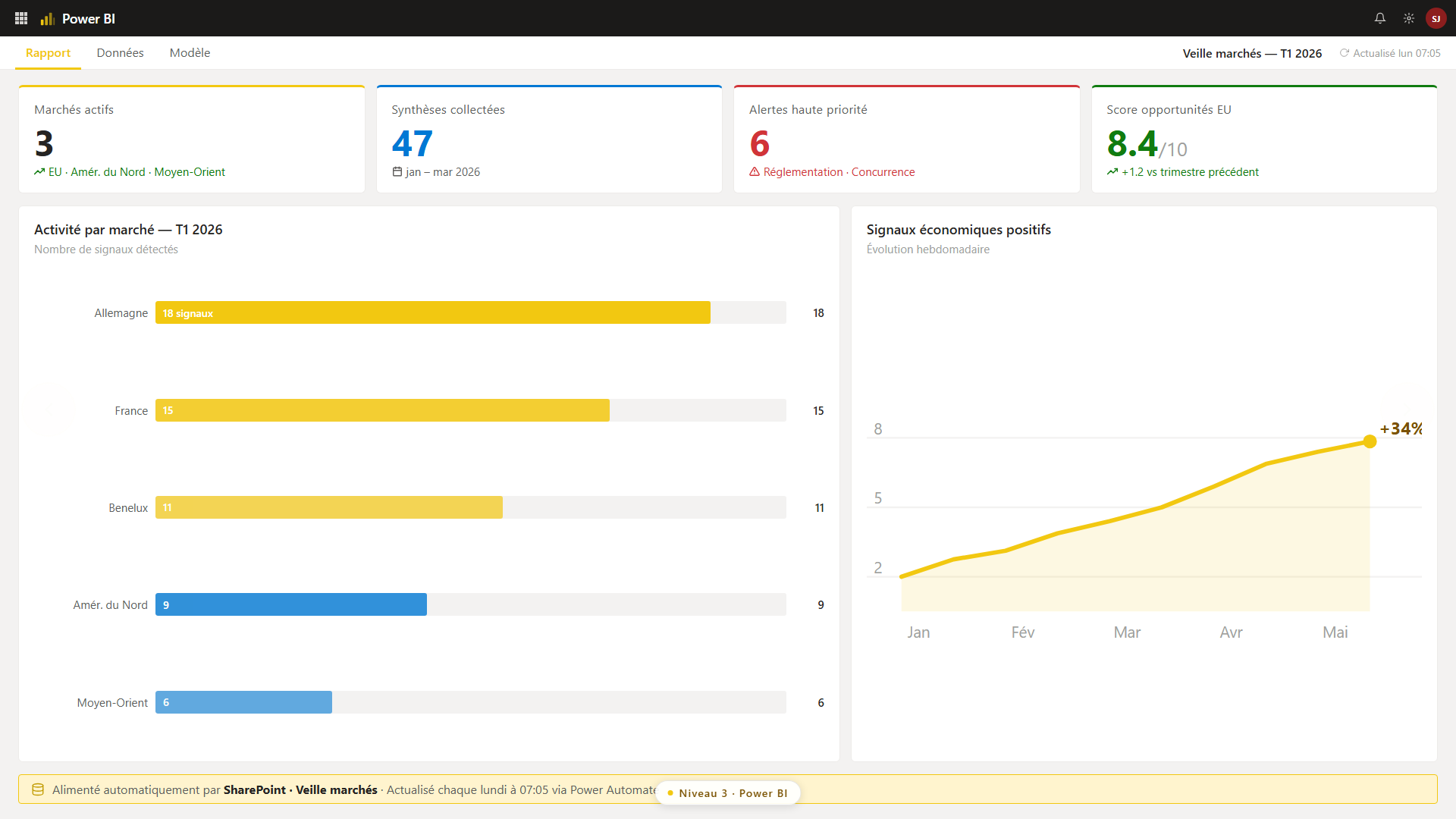
This dashboard needs no manual updates. It reflects the reality of your markets as of the flow’s last run.
What you do on Monday morning
You don’t need all five levels to get started. Here is the recommended sequence:
This week: Open ChatGPT and create a scheduled task with a prompt focused on one specific market. Just one. Test it for two weeks. In a month: If the summary is useful, build the Power Automate flow to automate and store it. Add a second market. In three months: Connect Copilot Notebook to your SharePoint library. Start asking questions about your own history. In six months: Power BI. Visualizations. A dashboard shared with your team.Each step stands on its own. Together, they form an intelligence system that gives your firm a structural lead over competitors who are still hunting for information by hand on Friday afternoon.
The principle goes well beyond exporting
Market intelligence is the most concrete example for exporters, but the same system adapts to plenty of other scenarios: regulatory monitoring in the pharmaceutical sector, tracking calls for tenders in construction, competitive monitoring in retail, HR trend analysis for large organizations.
The principle is the same: structure the collection, automate the processing, make the history searchable. Whatever the size of your firm.
What changes from one organization to the next is the starting point and the speed of execution. A 15-person SMB can start with a single ChatGPT prompt on a single market and have something useful by next Monday. A 200-person organization will build a multi-market Power Automate flow with distribution by department. Same logic, different scale.
What doesn’t change: the people who structure their information today will make better decisions tomorrow. And the ones waiting to be “ready” will keep searching by hand while their competitors move ahead.
Download the full presentation given at the Grand Rendez-vous de l’Exportation:
Download the presentation (PDF, in French) →Get one concrete idea like this every week:
Subscribe to L’Architecte (in French) →Want to see what this kind of system could do in your organization?
Talk with Steve →